Network and System Commands on OS X
A command reference for inspecting listening ports, network connections, and system calls on OS X with lsof, netstat, telnet, and dtruss.
netstat on OS X is not especially convenient. It can show a port’s process ID, but not the program name. To list listening ports:
netstat -anLv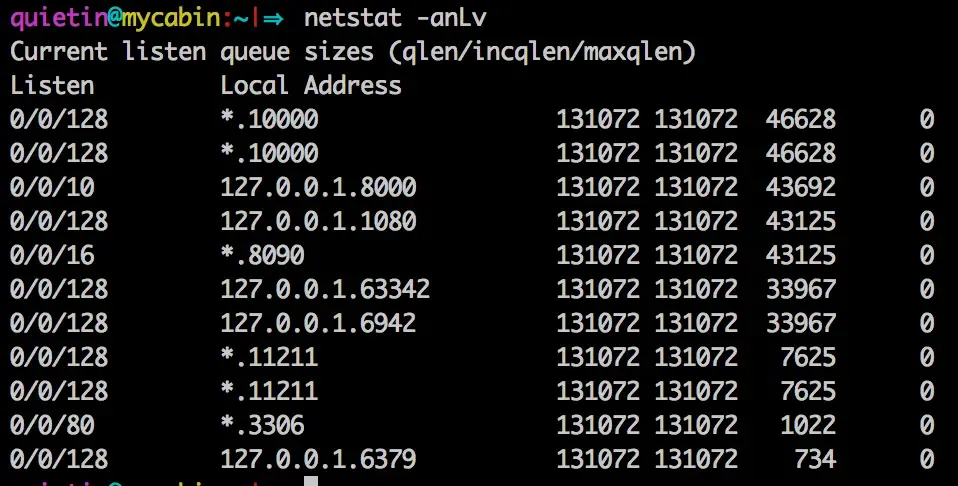
Use lsof to see the program name:
lsof -ni | grep LISTEN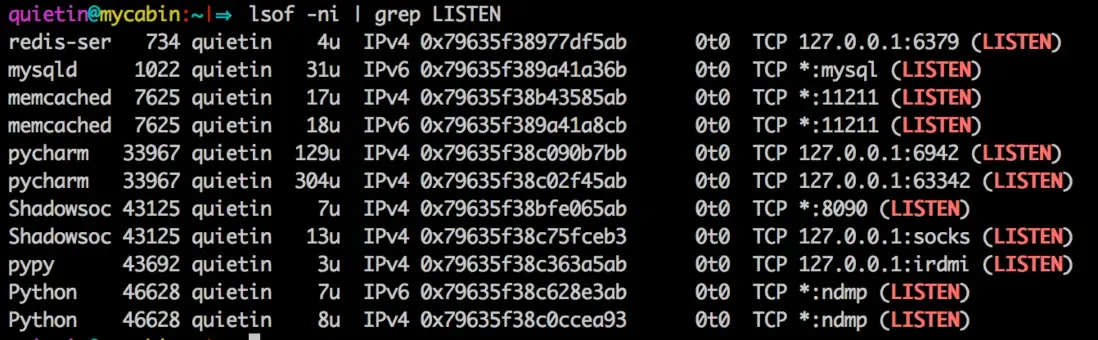
To determine whether a particular port is listening, telnet is preferable because lsof returns nothing for ports you do not have permission to inspect.
Show TCP connections:
lsof -itcpShow TCP connections over IPv6:
lsof -i6tcpShow connections for a particular port:
lsof -i:1080Append grep for more specific connection states. I generally use grep -i to avoid missing results because of letter case.
Sometimes lsof displays a service name such as callbook instead of the port number. Add -P to disable that conversion:
lsof -P -itcp:2000Trace a process’s system calls
Use dtruss on macOS; the corresponding Linux command is strace. It requires sudo.
dtruss df -h # run and examine "df -h"dtruss -p 1871 # examine PID 1871dtruss -n tar # examine all processes called "tar"dtruss -f test.sh # run test.sh and follow childrenThe macOS dtrace command corresponds to ltrace on Linux.